
Zendesk CRM Services
Transform Your Customer Engagement with Zendesk CRM Services
Unlock the power of seamless customer interactions and elevate your business to new heights.
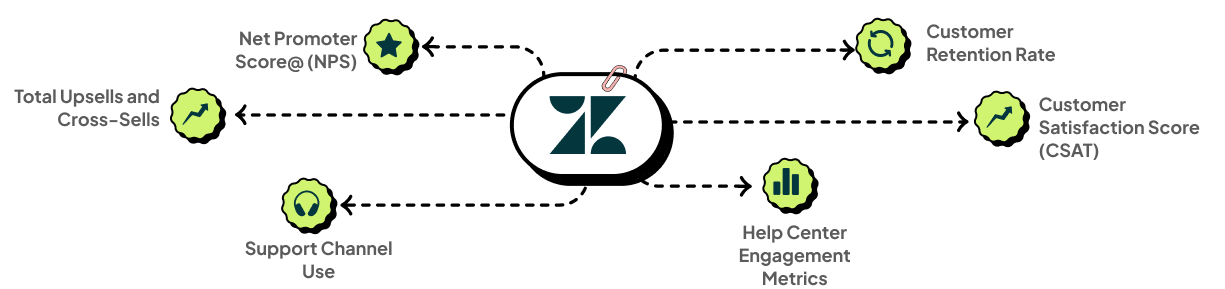
Drive Unparalleled Customer Satisfaction and Loyalty with Tailored Zendesk Solutions
Insightful Analytics
Dive deep into robust reporting and advanced analytics to understand your customers better than ever.
Effortless Ticket Management
Streamline your workflows with flexible ticket management and seamless automation.
Powerful Integrations
Leverage pre-built integrations with SugarCRM, Salesforce, and countless third-party apps.
Intuitive Interface
Enjoy an easy-to-use and customizable web interface that makes everyone’s life easier.
Seamless Connectivity
Experience out-of-the-box integrations that connect your entire ecosystem.
Your Trusted Partner for Comprehensive Zendesk Solutions
Need expert help with Zendesk deployment and optimization? Cloud Analogy delivers tailored solutions, from licenses to integrations, ensuring seamless customer collaboration.
Let us customize Zendesk to boost efficiency and satisfaction for your business!
Our Specialized Zendesk Services

Zendesk Administration
Elevate Customer Experience
Our resourceful Zendesk Admins are masters of customer experience transformation. We will enhance brand loyalty, boost customer satisfaction, and drive unparalleled customer engagement.

Zendesk Consultancy
Strategic Guidance for Success
Our seasoned Zendesk Consultants bring a wealth of knowledge to your enterprise, driving customer engagement, amplifying brand awareness, and increasing lifetime value.
Zendesk Development
Innovation Tailored to You
We build custom apps and integrations to extend the power of Zendesk and perfectly align it with your unique business requirements.
Zendesk Implementation: From Vision to Reality
Discover the secret to exceptional customer interactions and drive your business forward.
Frequently Asked Questions
Zendesk Implementation Services for a growing support team typically takes 4 to 8 weeks, covering ticket routing setup, agent workspace configuration, SLA policy design, knowledge base structure, and channel integrations. Teams with more complex requirements such as multi-brand support, custom reporting, or deep CRM integration take longer to implement correctly. A requirements workshop at the start of the project maps out the team's actual support workflows, ticket volumes, and escalation rules before any configuration begins, producing a realistic go-live timeline.
Migrating to Zendesk from platforms like Freshdesk, Intercom, or ServiceNow requires extracting ticket history, mapping custom fields to Zendesk's data model, preserving customer and organization records, and importing conversation threads while maintaining accurate timestamps and agent attribution. Poorly planned migrations result in missing ticket history that agents need context on repeat customers. A structured migration approach validates data accuracy through test imports in a sandbox environment before any historical records are moved to the live Zendesk account.
Zendesk's omnichannel capabilities route tickets from email, live chat, phone, social media, WhatsApp, and web forms into a unified agent workspace so support teams manage every channel from one interface rather than switching between separate tools with separate queues. Omni-channel routing assigns incoming requests to the right agent based on skills, availability, and channel priority. Zendesk Support Services configurations ensure routing logic reflects the team's actual structure and shift patterns rather than defaulting to generic round-robin assignment.
Zendesk Integration Services connect Zendesk with CRM platforms like Salesforce and HubSpot so that support agents see customer account details, deal history, and open opportunities directly alongside the ticket they are working on, without switching between systems. Sales teams can also see open support tickets on their CRM account records, closing the loop between sales and service interactions. Proper integration design includes field mapping, sync frequency settings, and data conflict rules that prevent duplicate or overwritten records between platforms.
Zendesk's triggers, automations, and macros handle repetitive workflow tasks such as auto-assigning tickets by keyword or channel, sending status update notifications to customers, escalating tickets that breach SLA thresholds, and applying bulk actions across similar ticket types. Zendesk Consulting Services include a workflow audit that identifies which manual steps agents repeat most frequently, then automates them through the appropriate Zendesk mechanism, reducing handle time and minimizing human error in ticket management.
Zendesk's AI capabilities include intelligent triage that classifies and routes incoming tickets automatically based on content, intent detection, and sentiment analysis, along with AI-suggested replies drawn from the knowledge base that agents can send with one click rather than typing responses from scratch. These features reduce the time agents spend on repetitive tickets, freeing capacity for complex cases that genuinely require human judgment. AI accuracy improves as the system processes more ticket data over time, making early configuration critical to long-term performance.
An effective Zendesk Guide knowledge base requires a clear article taxonomy, consistent writing standards across articles, a regular review and retirement schedule for outdated content, and search optimization so customers find relevant articles before submitting a ticket. Poorly structured knowledge bases with outdated or incomplete articles increase ticket volume rather than deflecting it. Zendesk CRM Consulting engagements typically include knowledge base architecture design alongside the core support setup, ensuring self-service content is organized around how customers actually describe their problems.
Yes, Zendesk supports custom ticket fields, forms, views, and sidebar apps that reflect the specific data capture and workflow requirements of healthcare, ecommerce, financial services, and SaaS companies, each of which has distinct compliance, escalation, and documentation needs that standard configurations don't address out of the box. Custom objects and the Zendesk API also allow more complex data models to be built for organizations with highly specialized support operations. Configuration should be based on process mapping sessions with actual support team leads rather than assumptions about their workflows.
Zendesk Explore provides prebuilt and fully customizable dashboards that track first reply time, full resolution time, CSAT scores, ticket backlog trends, channel volume distribution, and agent-level performance across any date range. Meaningful reporting requires defining which metrics actually indicate success for the specific team rather than tracking every available data point. Custom dashboards built around the organization's actual support KPIs give leadership clearer insight into where capacity constraints, workflow bottlenecks, or training gaps are affecting service quality.