
Dell Boomi Development Services
Dell Boomi Development & Consulting Services
Boomi Development: Connect,
Automate, Transform Your Business
Dell Boomi is a leading iPaaS (Integration Platform as a Service) that simplifies connecting applications and data. Boomi’s low-code platform and extensive library of connectors make integration faster and easier. Choose Cloud Analogy for your Boomi development needs to drive your business forward.
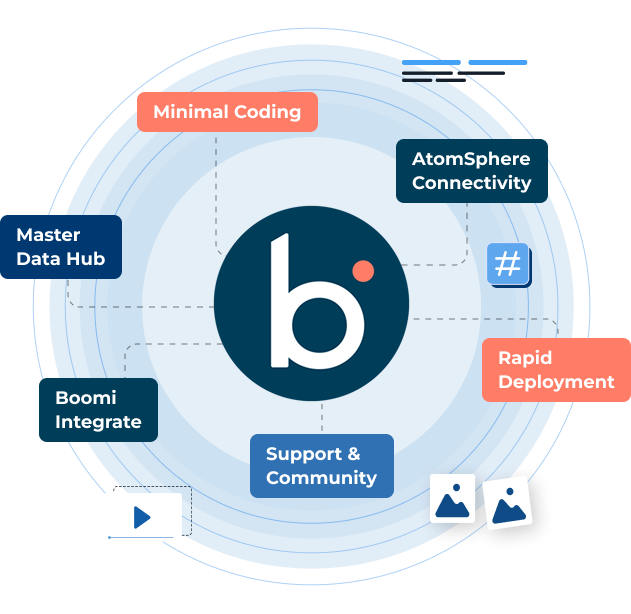
Why choose Cloud Analogy for your next Dell Boomi Development Services?
Our expert blockchain developers deliver secure, scalable solutions tailored to your business needs.
- Provide Dell Boomi Consulting services for business success.
- Navigate cloud migration complexities with our expert guidance.
- Out-of-the-box Boomi Master Data Management adhering to industry standards.
- Seamless connections between apps, databases, partners, customers.
- Global CRM solutions and IT services provider since 2015.
- Salesforce Gold Partner with deep integration expertise.
- Partnership with Boomi ensures top-notch Boomi AtomSphere Development.
- Certified experts deliver tailored Boomi solutions driving growth.
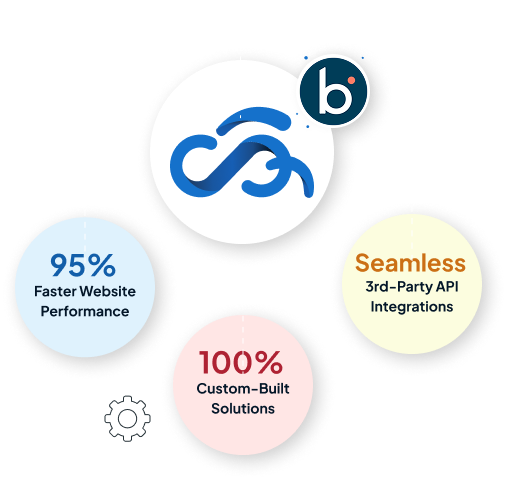
0
+
Projects Delivered Globally
0
+
Satisfied Clients
0
+
Experts
0
Years of Excellence
What sets us apart?
On-Time Delivery, Guaranteed.
High-Quality Solution Development
Flexible, No Lock-In Contracts.
Secure and Scalable Solutions.
Extensive Industry Expertise.
Dedicated, Responsive Support.
We Provide Dell Boomi Development Services
Transform your business with scalable, flexible Boomi integration services and robust cloud connectivity for rapid deployment and cost efficiency. Reach out to Cloud Analogy now!
Assess your integration needs and current architecture.
Design Boomi solutions aligning with business objectives.
Develop and deploy custom Boomi integrations efficiently.
Migrate legacy systems to the Boomi platform smoothly.
Provide ongoing Boomi support and maintenance services.
Offer Boomi training and knowledge transfer programs.
Optimize Boomi API Management for performance and scalability.
Ensure data security and compliance within Boomi Solutions.
Dell Boomi Development Services: Powering Innovation Through Integration






















Driving Success With Digital Solutions For Every Industry

Healthcare

Retail & Ecommerce

Travel & Tourism

Professional Business

Education

Media & Entertainment

Events

Food & Restaurants

Automotive

Fashion

Finance

Real Estate
Innovative Dell Boomi Solutions:
Performance-Driven, Cloud-Ready Integration
01Consultation & Planning
Define scope, align with objectives, and create a development plan for Dell Boomi solutions.


02Design & Development
Create secure, high-performance Dell Boomi integrations that meet your needs.
03Testing & Optimization
Test, tune, and secure Dell Boomi integrations.

04Launch & Deployment
Ensure smooth deployment with minimal disruption.
05Ongoing Support
Ensure ongoing monitoring, maintenance, and updates for your Dell Boomi solutions.





Get in Touch Now!
Talk to our expert to get a custom proposal & tailored guidance!
Sales Inquiry:
info@cloudanalogy.com
Cloud Analogy
HR Inquiry:
info@cloudanalogy.com
hr-cloudanalogy
An OTP is Sent to your provided Email ID
Please Check your Inbox and Spam/Junk folder
Frequently Asked Questions
Traditional on-premises integration tools require local hardware installation, ongoing infrastructure maintenance, and manual upgrades managed by internal IT teams. Dell Boomi Development Services built on the AtomSphere platform run entirely in the cloud, eliminating the need for installed middleware software while still supporting connections to on-premises systems through lightweight Atom runtimes deployed locally. This architecture reduces infrastructure overhead significantly and allows integration processes to be designed, deployed, and monitored from a single browser-based interface without touching the underlying servers.
Boomi supports both real-time event-driven integration and scheduled batch processing within the same platform, allowing businesses to choose the appropriate pattern based on how time-sensitive each data exchange needs to be. Real-time flows trigger immediately when a source system event occurs, while batch processes run on defined schedules to move large volumes of data efficiently during off-peak hours. Dell Boomi Integration Services projects typically implement both patterns across a single client environment, since most enterprise systems require a mix of real-time and batch data movement.
Yes, Boomi's hybrid integration model uses lightweight Atom runtimes deployed behind a company's firewall to securely connect on-premises systems, while cloud-based connectors handle SaaS and cloud platform endpoints, all managed through the same AtomSphere control plane. This eliminates the need for separate tools to handle cloud-to-cloud and cloud-to-on-premises scenarios. Dell Boomi Consulting Services typically begin with a connectivity audit, mapping which systems are on-premises, which are cloud-hosted, and which require custom connector development before any process design begins.
Boomi's MDM capability allows businesses to create a trusted, unified master record for key data entities such as customers, products, or suppliers by consolidating data from multiple source systems, applying matching and deduplication rules, and distributing the cleansed master record back to connected applications. This solves the fragmented data problem that occurs when each system maintains its own version of the same entity without a single authoritative source. Proper MDM setup requires careful domain modeling and governance rules designed before the integration processes are built.
Dell Boomi Developers handle errors through exception handling shapes built directly into each process flow, defining what happens when a connection fails, a data transformation produces unexpected results, or a downstream system is unavailable. Notifications can be configured to alert operations teams when specific error conditions occur, and failed documents can be quarantined for manual review rather than silently dropped. Building robust error handling into process design from the start prevents integration failures from causing invisible data gaps in downstream systems.
Boomi's API Management capability allows teams to design, publish, and govern APIs built on top of integration processes, applying security policies such as authentication, rate limiting, and IP filtering at the API gateway layer without requiring separate API management tools. Published APIs are discoverable through an internal developer portal, making it easier for teams to reuse existing integrations rather than building duplicate connections. Consistent API governance across all published endpoints reduces security risk as the number of integrations grows.
Dell Boomi Implementation Services for a standard enterprise project connecting three to five business-critical systems typically take 8 to 14 weeks, covering requirements gathering, process design, development, testing, and deployment. Larger programs involving ERP migrations, MDM setup, or migration from a legacy integration platform can take several months depending on the number of integration flows being rebuilt and the complexity of data transformation rules involved. A scoping assessment before project kickoff produces a more accurate timeline than any generic estimate.
Boomi offers a lower-code, drag-and-drop approach with faster onboarding for teams without deep integration development experience, while MuleSoft provides more granular API-led architecture control suited to large enterprises building complex, heavily governed API ecosystems. Boomi's pricing scales by connector endpoint rather than data volume, which can be more predictable for businesses with a fixed set of systems to connect. The right choice depends on the organization's existing technical skills, integration complexity, and long-term API governance goals rather than platform reputation alone.
Experienced Dell Boomi Developers should hold Boomi Professional Developer and Boomi Associate Developer certifications as a baseline, along with hands-on experience designing integration processes across multiple connector types including Salesforce, SAP, Workday, and NetSuite. Beyond certifications, look for demonstrated experience with error handling design, MDM configuration, API management, and performance optimization within AtomSphere. Reviewing the complexity of past integration projects and how the developer approached data transformation and exception handling gives a more complete picture than credentials alone.